ES vs SD: How to Read a Chrono Session
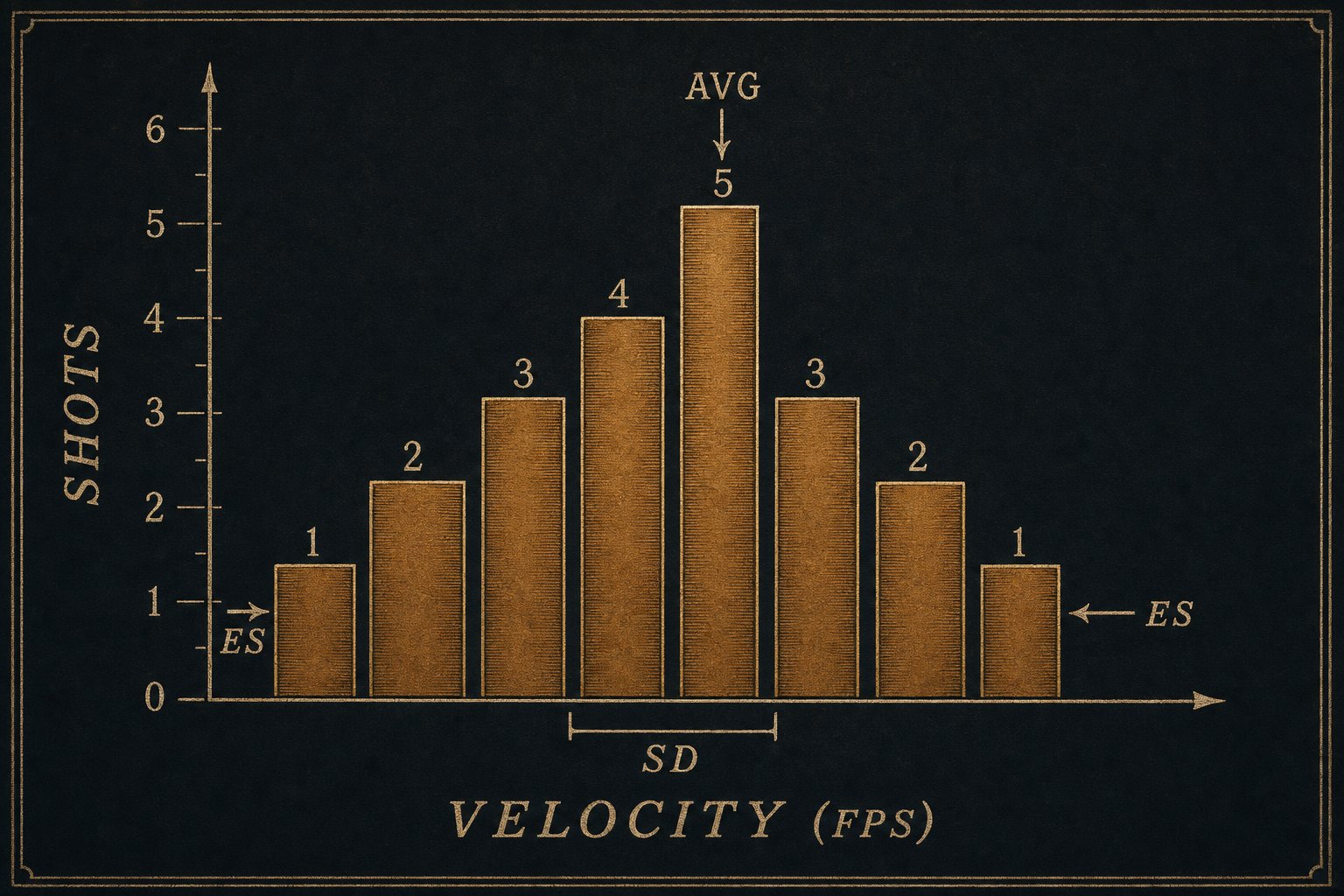
When your chronograph spits out three numbers per string, AVG, ES, and SD, what do they actually mean?
Average Velocity
The mean speed of your shots in feet per second. This is the input to a ballistic calculator: it determines drop, drift, and time of flight. Most chronographs report it automatically.
If you change a load, bumped a charge, switched a primer, swapped powder lots, the average is the first thing you watch. A 30 fps shift on the same recipe usually points at a real change in the system.
Extreme Spread (ES)
The difference between your fastest shot and your slowest shot in a string. Lower is better, but ES is sensitive to outliers. One squib drives ES up regardless of how consistent the rest of the string was.
ES is a useful pressure-and-process signal. ES jumping by 50 fps batch-to-batch usually points at a problem: inconsistent neck tension, inconsistent powder drops, or a primer change.
Standard Deviation (SD)
A statistical measure of how tightly your shots cluster around the average. More representative than ES because it weights every shot, not just the two extremes.
| SD over 10+ shots | What it means |
|---|---|
| Single digits | Precision-shooter target |
| Under 15 | Fine for most field shooting |
| 15 to 25 | Honest hunting ammo |
| Over 25 | Something to chase: brass prep, neck tension, powder choice |
Sample Size Matters
Three-shot strings are nearly worthless statistically. Five shots is the minimum for a usable SD; ten or more is much better. The first time you compare two loads on three shots each, you'll feel certain. The truth is the data isn't there yet.
If you only have time for three rounds per charge weight while ladder testing, that's fine for the workup. But before you call a load "the one", give it a 10-shot session at distance and see what the numbers say.
In BrassTracker
The chrono session card on a load detail screen surfaces all three numbers, plus shot count. Beginner mode spells the labels out (Standard Deviation, Extreme Spread); intermediate and pro modes show the acronyms with an info button that opens the same definition you read above.